
SoccerClocker
Every minute, for every kid.
The sideline sidekick for youth soccer coaches. Set your lineup on a real field, queue substitutions while play goes on, and swap everyone at the whistle with one tap, while every player's field and bench time tracks itself.
Get helpFor iPhone. Coming soon to the App Store.
Built for game day
Less clipboard. More coaching.
Everything a coach needs on the sideline, big enough to use mid-game.
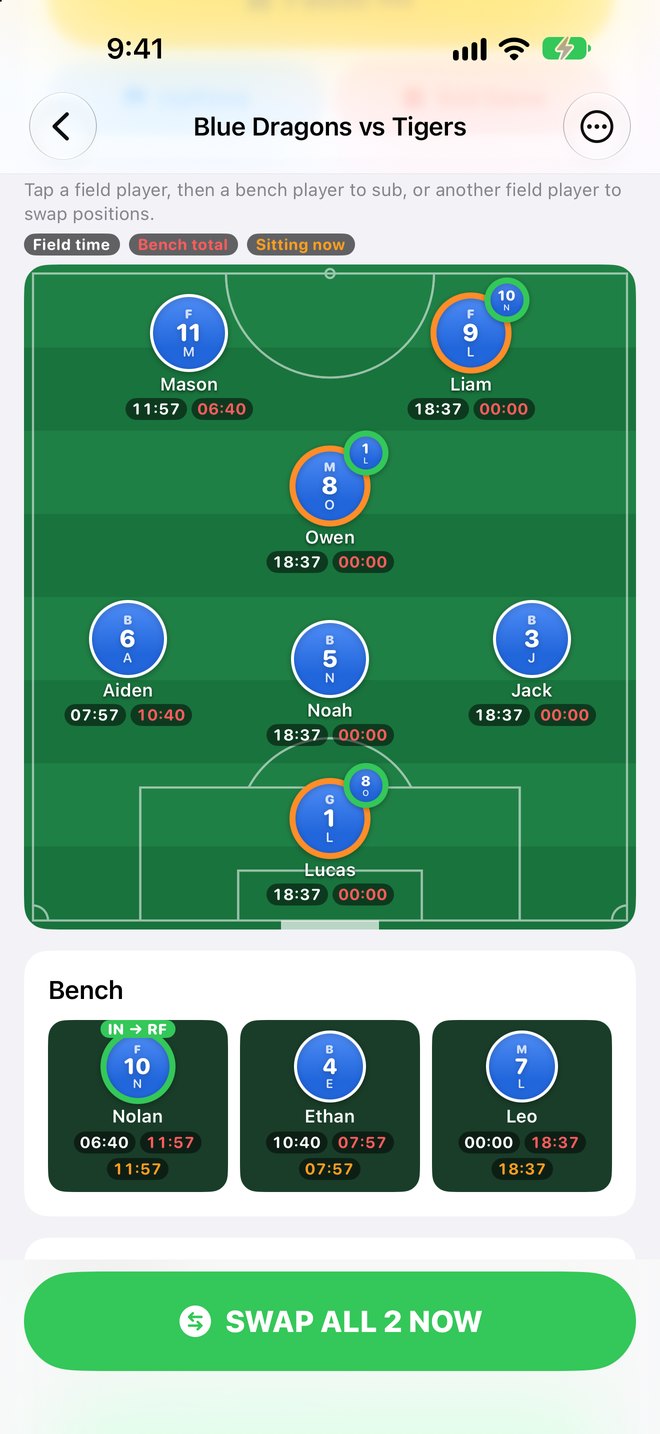
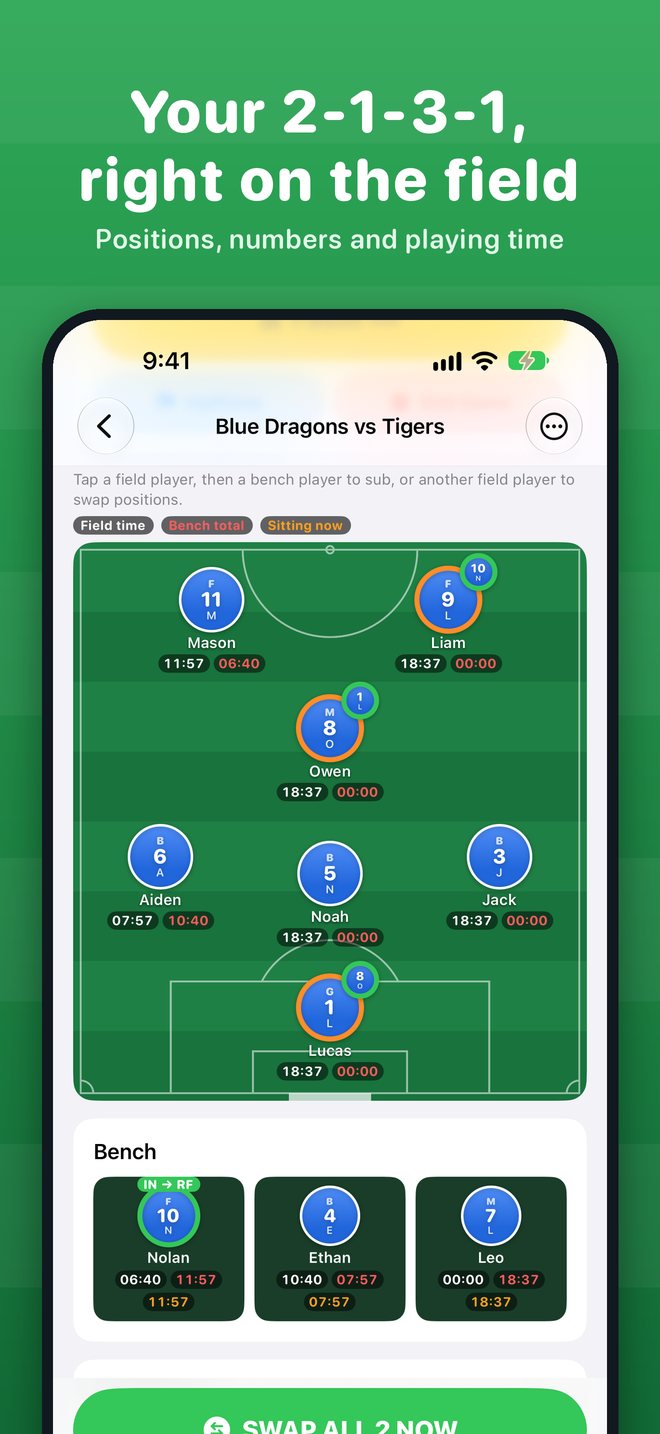
Your 2-1-3-1 on the field
Two forwards, a midfielder, three backs and a goalie. Each circle shows the player's number, first initial and usual position (F, M, B or G).
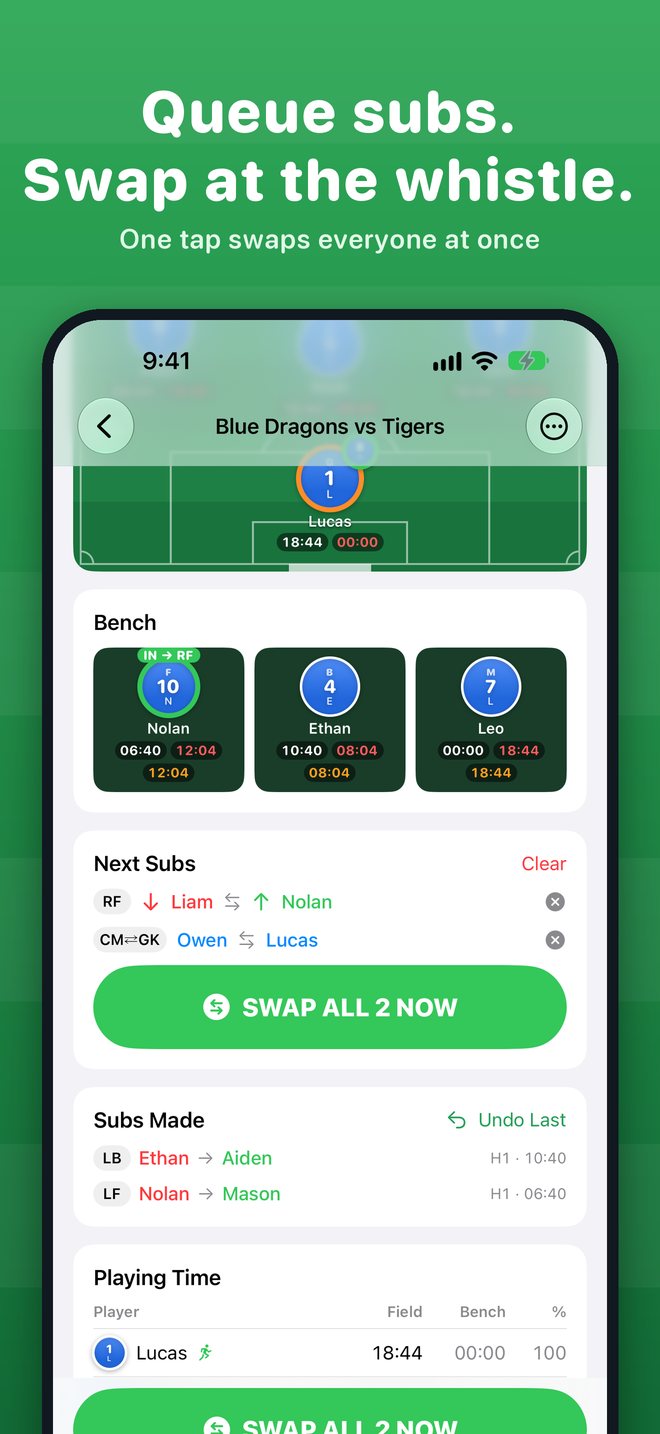
Subs at the whistle
Tap a field player, then a bench player, to queue a sub. Queue several subs and position swaps, then tap SWAP NOW to do them all at once.
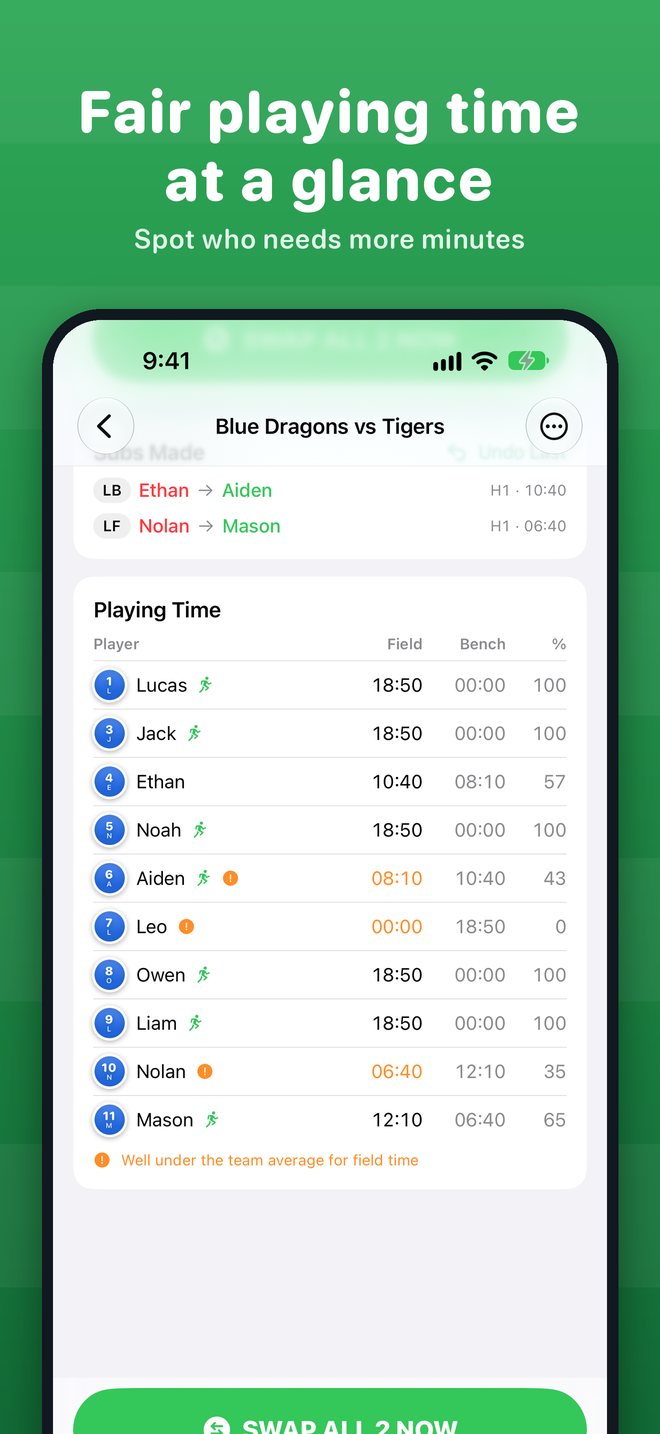
Fair playing time
field time, bench time and time sitting right now, for every kid, all game long.
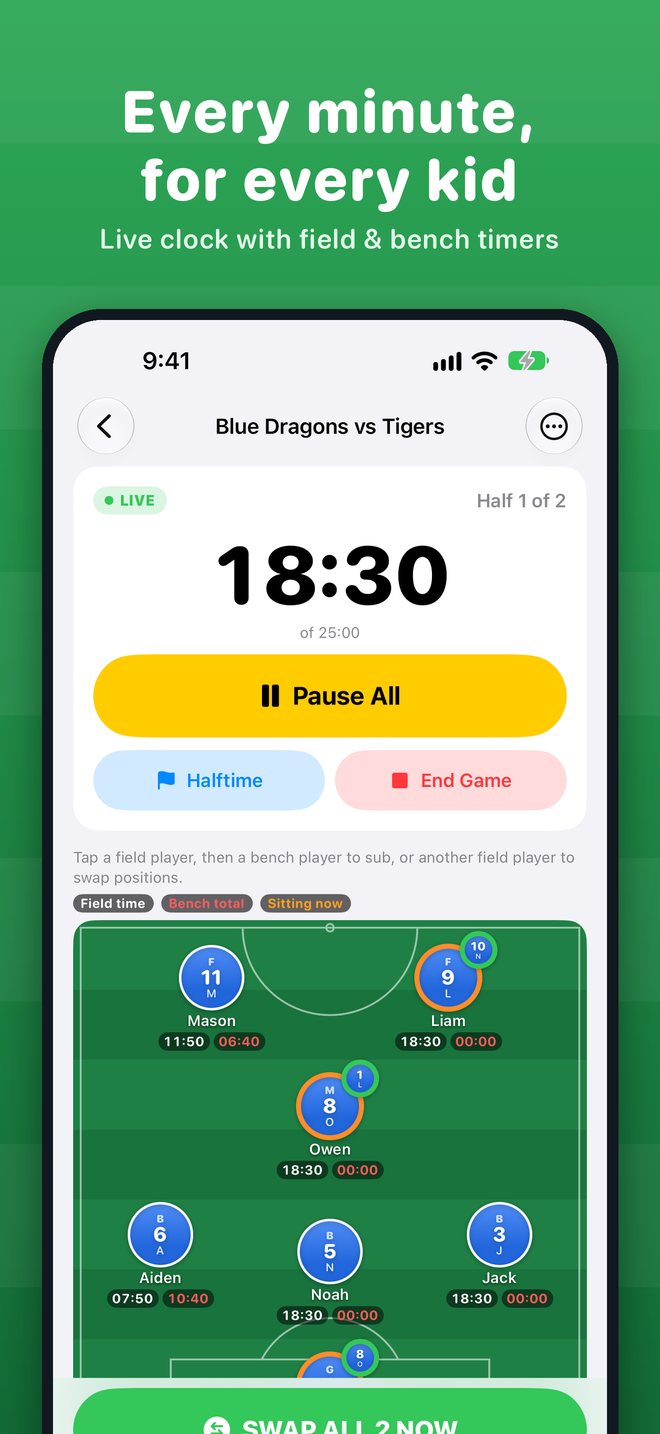
One big match clock
Kick off, pause everything, call halftime and end the game. Change the opponent or half length on the fly.
Always accurate
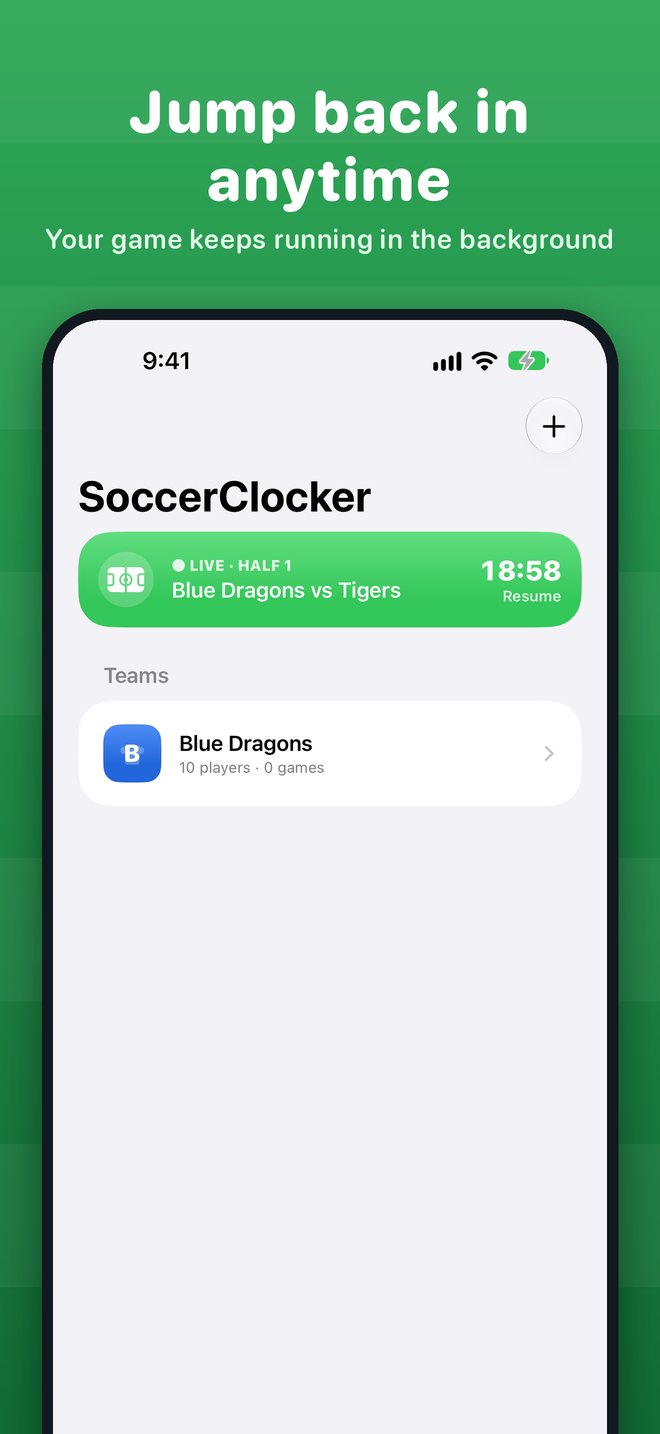
Clocks keep correct time when your phone locks or the app closes, and you can jump back into the game from anywhere.
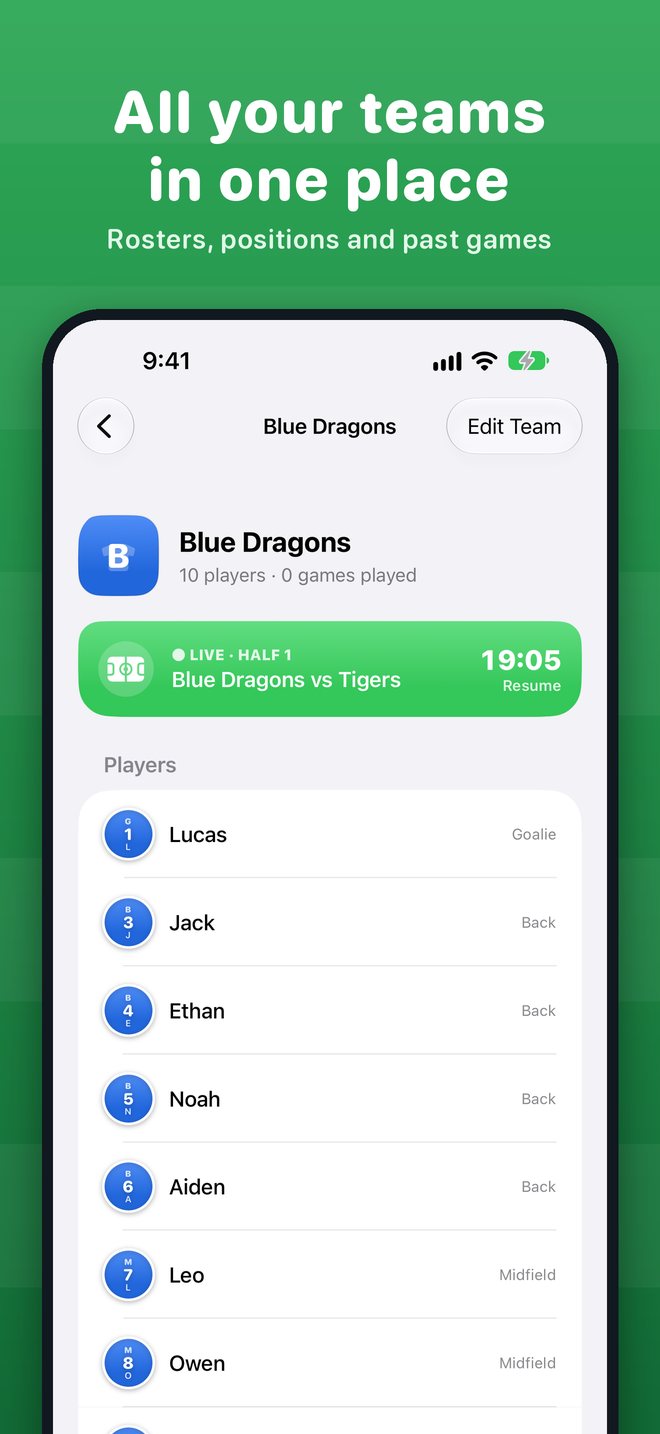
Every team, every game
Create teams with jersey colors. Finished games are saved with each player's playing time and every sub.
Screens
See it in action
Support
We're here to help
Email soccerclocker@mortarbit.com and a real person will get back to you.
How do I make a substitution?
During play, tap the player on the field who's coming off, then tap the bench player who's going on. The sub waits in Next Subs until you tap SWAP NOW, so you can line up changes before the whistle.
Can two players on the field switch positions?
Yes. Tap one field player, then another. The swap is queued (for example CM⇄GK) and happens with your other subs when you tap SWAP NOW.
What do the white, red and orange timers mean?
White is total time on the field, red is total time on the bench, and orange (on the bench) is how long that player has been sitting since they last came off.
What if my phone locks or the app closes mid-game?
The clocks are based on timestamps, so they stay accurate. Reopen the app and it takes you right back into the game.
I tapped the wrong player. Can I undo it?
Before the swap, tap the ✕ next to it in Next Subs. After the swap, use Undo Last in Subs Made.
Does SoccerClocker collect my data?
No. There are no accounts, ads or tracking. Your teams and games are stored only on your iPhone. See our Privacy Policy.